Table of Contents
ToggleVivint has spent nearly two decades building its reputation as a professionally installed smart home platform, but is it the right fit for your property? Unlike plug-and-play systems you can set up on a Saturday afternoon, Vivint positions itself as a full-service solution with equipment, installation, and 24/7 monitoring rolled into one package. That approach appeals to homeowners who want a cohesive ecosystem without the trial-and-error of mixing brands. But it also means contracts, monthly fees, and less flexibility than open platforms. Before committing to Vivint, it’s worth understanding what you’re actually getting, and what trade-offs come with professional smart home service.
Key Takeaways
- Vivint home automation is a fully integrated, professionally installed smart home platform that combines cameras, locks, sensors, thermostats, and lighting into one app and central touchscreen panel, eliminating the need to manage multiple brands and interfaces.
- Professional installation is mandatory with Vivint, meaning no DIY setup options, but you gain expert configuration, testing, and support without the hassle of self-pairing devices or troubleshooting connectivity issues.
- Monthly costs for Vivint range from $30–$60+ per month depending on your monitoring plan and cloud storage needs, plus upfront equipment fees of $600–$2,000+, making it more expensive than DIY competitors like SimpliSafe over a five-year contract period.
- Vivint requires long-term contracts (42–60 months) with early termination fees reaching 75% of the remaining balance, so carefully consider your housing plans and long-term commitment before signing.
- The main benefits of Vivint home automation are single-app control, 24/7 professional monitoring with emergency dispatch, and tight device integration, but you sacrifice flexibility, local storage, and the ability to upgrade individual components outside Vivint’s proprietary ecosystem.
- Vivint is ideal for homeowners who prioritize convenience and professional support over cost savings and customization, but not recommended for renters, DIY enthusiasts, or those seeking open-platform compatibility.
What Is Vivint Home Automation and How Does It Work?
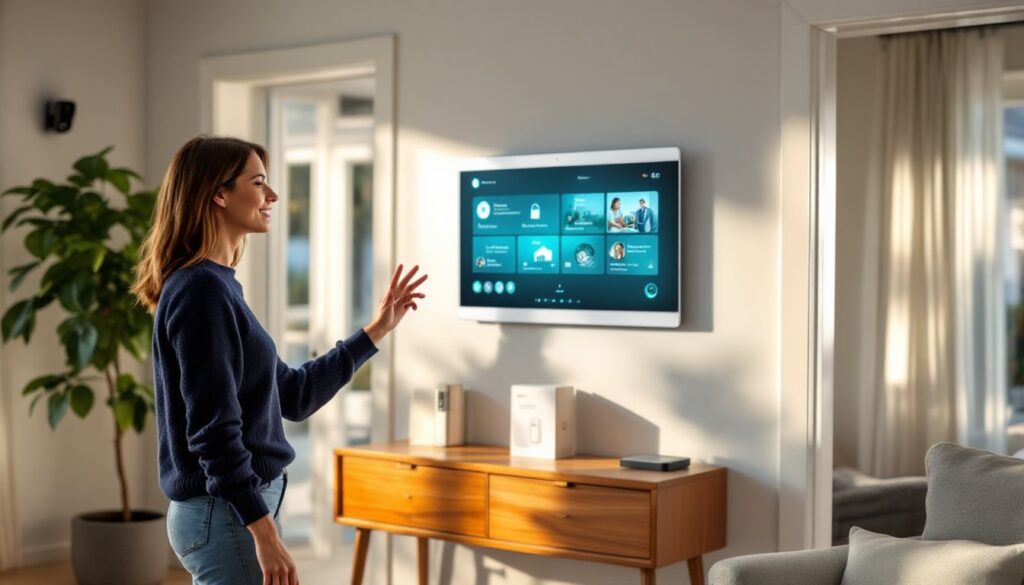
Vivint is a proprietary smart home and security platform that integrates cameras, locks, sensors, thermostats, and lighting into a single app controlled by a central touchscreen panel. The system relies on a SkyControl panel, a wall-mounted hub that communicates with all your devices via Z-Wave Plus and Wi-Fi. Unlike DIY kits where you mix and match brands, Vivint requires you to use its own hardware, which ensures compatibility but limits your options.
The platform operates through Vivint’s cloud servers, so you’re dependent on their infrastructure and internet connectivity. When you arm the system or adjust a thermostat, the command travels through Vivint’s app or panel, hits their cloud, then routes back to your device. This adds a layer of professional monitoring but also means you can’t truly self-host or run the system offline. It’s a closed loop, secure and polished, but not open-source.
Vivint’s core value proposition is integration. Instead of juggling separate apps for your doorbell, thermostat, and cameras, everything lives in one interface. The panel acts as your command center, and the mobile app mirrors its functionality. Many homeowners find managing home automation projects simpler when everything speaks the same language, and Vivint delivers on that promise, though at the cost of flexibility.
Key Features and Smart Devices in the Vivint Ecosystem
Vivint’s hardware lineup covers the essentials: indoor and outdoor cameras, a video doorbell, smart locks, a Z-Wave thermostat, dimmable lighting modules, door/window sensors, motion detectors, and garage door controllers. The company also offers a Vivint Car Guard module for vehicle tracking and climate control, though that’s an add-on most homeowners skip.
Security Cameras and Doorbell Integration
Vivint’s outdoor camera (the Outdoor Camera Pro) shoots 1080p or 4K video, depending on the model, with HDR for balanced exposure in bright sunlight and shadows. It includes a built-in spotlight, two-way audio, and Smart Deter technology, a feature that triggers lights and a loud tone when motion is detected, ideally scaring off porch pirates before they act. Video is stored in the cloud, not locally, so you’ll need a monitoring plan to review footage.
The Doorbell Camera Pro offers similar resolution, a 180-degree field of view, and package detection alerts. When someone rings the bell, the SkyControl panel chimes and displays live video, letting you answer from the couch or the app. Compared to standalone doorbells like Ring, Vivint’s integration is tighter, arming the system can auto-enable doorbell recording, and unlocking a smart lock from the doorbell feed happens in one tap. But, smart home device reviews often note that Vivint’s cameras lag behind brands like Nest or Arlo in low-light performance.
Smart Locks, Thermostats, and Lighting Control
Vivint’s Smart Lock (a rebranded Kwikset deadbolt with Z-Wave) supports PIN codes, remote locking, and auto-lock timers. You can assign temporary codes to contractors or guests, then delete them from the app. The lock integrates with the security panel, so disarming the system can auto-unlock the door if you configure it that way, a convenience feature that feels futuristic until you realize it’s just a scripted automation.
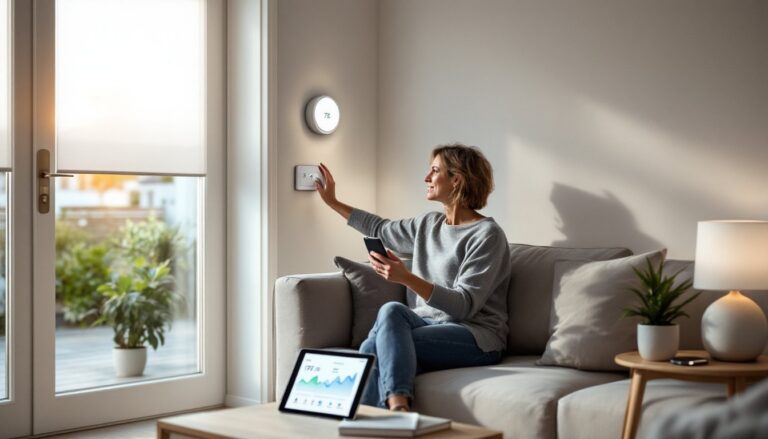
The Element Thermostat is Vivint’s proprietary climate controller. It learns your schedule over time (similar to Nest’s adaptive algorithms) and can adjust temps based on whether the system is armed or disarmed. For example, if you arm the system in “Away” mode, the thermostat can enter an energy-saving setpoint. It’s a Z-Wave Plus device, so response times are snappy, and it’s compatible with most 24V HVAC systems (including multi-stage heat pumps). Just confirm compatibility before installation, some older systems with millivolt or high-voltage setups won’t work.
Lighting control comes via plug-in dimmers or in-wall switch modules. The modules replace standard single-pole switches and require a neutral wire (most homes built after the 1980s have one). If you’re retrofitting an older house, be prepared to troubleshoot wiring or call an electrician. Vivint’s lighting can be grouped into scenes (“Movie Mode,” “Goodnight,” etc.), but it’s not as granular as dedicated platforms like Lutron Caséta. For more flexible home automation system installation options, some homeowners pair Vivint with third-party lighting controllers.
Installation Process: Professional Setup vs. DIY Options
Vivint does not offer a true DIY installation path. The company requires a professional tech to install and configure the system, this is baked into the service model. An installer will mount the SkyControl panel (typically near the main entry), position cameras, swap out your deadbolt for the smart lock, wire the thermostat, and test every sensor. The appointment usually takes two to four hours, depending on the size of your home and the number of devices.
From a homeowner’s perspective, this removes the guesswork. You’re not drilling pilot holes in stucco, running Ethernet, or troubleshooting Z-Wave pairing. But it also means you can’t shop around for installation labor or tackle it yourself to save money. The install fee is rolled into your contract, and you can’t opt out. If you’re comfortable with tools and have installed home automation installers hardware before, the lack of a DIY option may feel limiting.
One upside: Vivint’s installers handle wiring for hardwired devices. If you’re upgrading from a traditional wired alarm system, they’ll often reuse existing door/window sensor wiring, saving time and avoiding patching drywall. They’ll also integrate the system with your Wi-Fi network, ensure cameras have clear sightlines, and walk you through the app. If you’re adding devices later, a return visit is often required, another reason the platform feels less flexible than self-install alternatives.
Pricing, Contracts, and Monthly Monitoring Costs
Vivint’s pricing structure has three layers: upfront equipment costs, monthly monitoring fees, and contract terms. Equipment pricing varies by package and promotions, but expect to pay anywhere from $600 to $2,000+ for a starter system with a panel, doorbell camera, a couple of door sensors, one indoor camera, and a smart lock. Vivint often advertises $0 upfront with financing, but you’ll pay for the hardware over the life of the contract.
Monthly monitoring starts at around $30/month for basic professional monitoring (cellular backup, 24/7 dispatch to police/fire/EMS). To unlock smart home features like remote camera access, smart lock control, and thermostat automation, you’ll need the Smart Home plan at roughly $45/month. Add cloud video storage (typically 30 days), and you’re looking at $50–$60/month depending on the number of cameras. According to home security analyses, Vivint’s monthly costs run higher than DIY competitors like SimpliSafe or Ring Alarm, but lower than ADT’s premium tiers.
Contracts are a sticking point. Vivint typically requires a 42- or 60-month commitment. Early termination fees can reach 75% of the remaining contract balance, making it expensive to bail if you move or switch systems. Some homeowners negotiate month-to-month terms, but you’ll pay higher monthly fees. If you’re planning to sell your house within a few years, consider whether the next owner will want to assume the contract, Vivint allows transfers, but it’s not automatic.
Financing is available through Vivint’s lending partner, but it’s essentially a lease-to-own model. You’re paying off the equipment over time, and if you cancel early, you may owe the balance. Always read the fine print and compare total cost of ownership against DIY platforms. While home automation kit options like SmartThings or Hubitat have higher upfront learning curves, they avoid recurring monitoring fees.
Pros and Cons: What Homeowners Should Know Before Choosing Vivint
Pros:
- Single-app control: Everything, cameras, locks, lights, thermostat, lives in one polished app. No juggling five different platforms.
- Professional installation: No drilling guesswork or troubleshooting device pairing. The system is configured and tested before the tech leaves.
- 24/7 monitoring: Real human operators watching your system and dispatching emergency services. This is the main differentiator from DIY systems.
- Tight integration: Automations between devices (like “lock the door when I arm the system”) work reliably because everything is made to play together.
- Mobile app quality: Vivint’s app is stable and responsive, with a clean interface. Updates roll out regularly, and home technology reviews consistently rank it among the best.
Cons:
- High monthly costs: Monitoring and smart home access fees add up. Over a five-year contract, you’re paying $2,400–$3,600+ just in monthly bills.
- Long contracts with steep exit fees: If your situation changes, you’re locked in or facing hefty penalties.
- Proprietary hardware: You can’t swap in your own cameras or locks. If Vivint discontinues a device, your upgrade path is limited.
- Cloud dependency: No local storage for video. If Vivint’s servers hiccup or your internet drops, functionality is degraded.
- No true DIY: Adding a sensor yourself isn’t an option. Every change requires calling Vivint or scheduling a tech visit, which can be frustrating for hands-on homeowners.
- Compatibility limits: Unlike open platforms like Control 4 home systems or Zigbee home automation setups, Vivint doesn’t play well with third-party devices outside its ecosystem.
Vivint works best for homeowners who value convenience and professional support over flexibility and cost savings. If you’re comfortable paying a premium for a white-glove experience and don’t mind a long-term commitment, Vivint delivers a polished, reliable system. But if you’re a tinkerer who wants control over every component, or if you’re renting and need portability, look elsewhere. The platform is powerful but deliberate, built for people who want smart home features without becoming a smart home hobbyist.